Desktop App · Windows · One-Time Payment

Stop Repeating Mistakes.
Start Trading with Edge.

PitLog is a private, offline trading journal that tracks every trade, measures your real edge, and enforces the discipline top traders rely on — with drawdown alerts, rule checklists, and deep analytics.

⬇ Download Free — 7 Days Trial 🔑 Buy for €67 →

No credit card required. Try free for 7 days, then unlock forever for €67.

PitLog — Main Account · April 2026
Net P&L (Month)
+$4,812
+9.6% return
Win Rate
64.2%
53 trades
Profit Factor
2.34
PF > 1.5 = edge
Expectancy
+$90.8
per trade
Max Drawdown
−$1,240
−2.48% peak
Avg RR
1 : 2.1
avg R-multiple
Jan
Feb
Mar
Apr
May
Jun
Jul
Aug
Sep
Oct
Nov
Dec
DateSymbolDir.EntryExitP&LStatusR
Apr 14 ES ✍ MANUAL #breakout LONG 5,248.505,263.75 +$765 WIN +2.3R
Apr 13 NQ #momentum SHORT 18,412.0018,387.25 +$495 WIN +1.8R
Apr 12 CL #news LONG 83.4082.95 −$450 LOSS −1.2R
Private. Offline. Yours. — Your trade data never leaves your computer.

Try PitLog free for 7 days.

No credit card. No account. Just download, run, and start logging trades. After 7 days, unlock forever for a one-time payment.

🪟
Windows
Windows 10 / 11 · 64-bit
⬇ Download .exe
🍎
macOS
Coming soon
🔔 Notify me
1
Download & Run
No install needed. Double-click and PitLog opens in your browser.
2
7 Days Free
Full access to every feature. No restrictions. No credit card.
3
Unlock Forever — €67
Pay once, own it for life. License key delivered by email instantly.

Everything you need.
Nothing you don't.

Built for active traders who want clarity on their performance — not another subscription to manage.

📊

Full Trade Log

Log every trade with entry, exit, direction, P&L, R-multiple, commissions, timeframe, setup, grade, notes, and tags. Full edit history with manual or imported trades.

📈

Performance Analytics

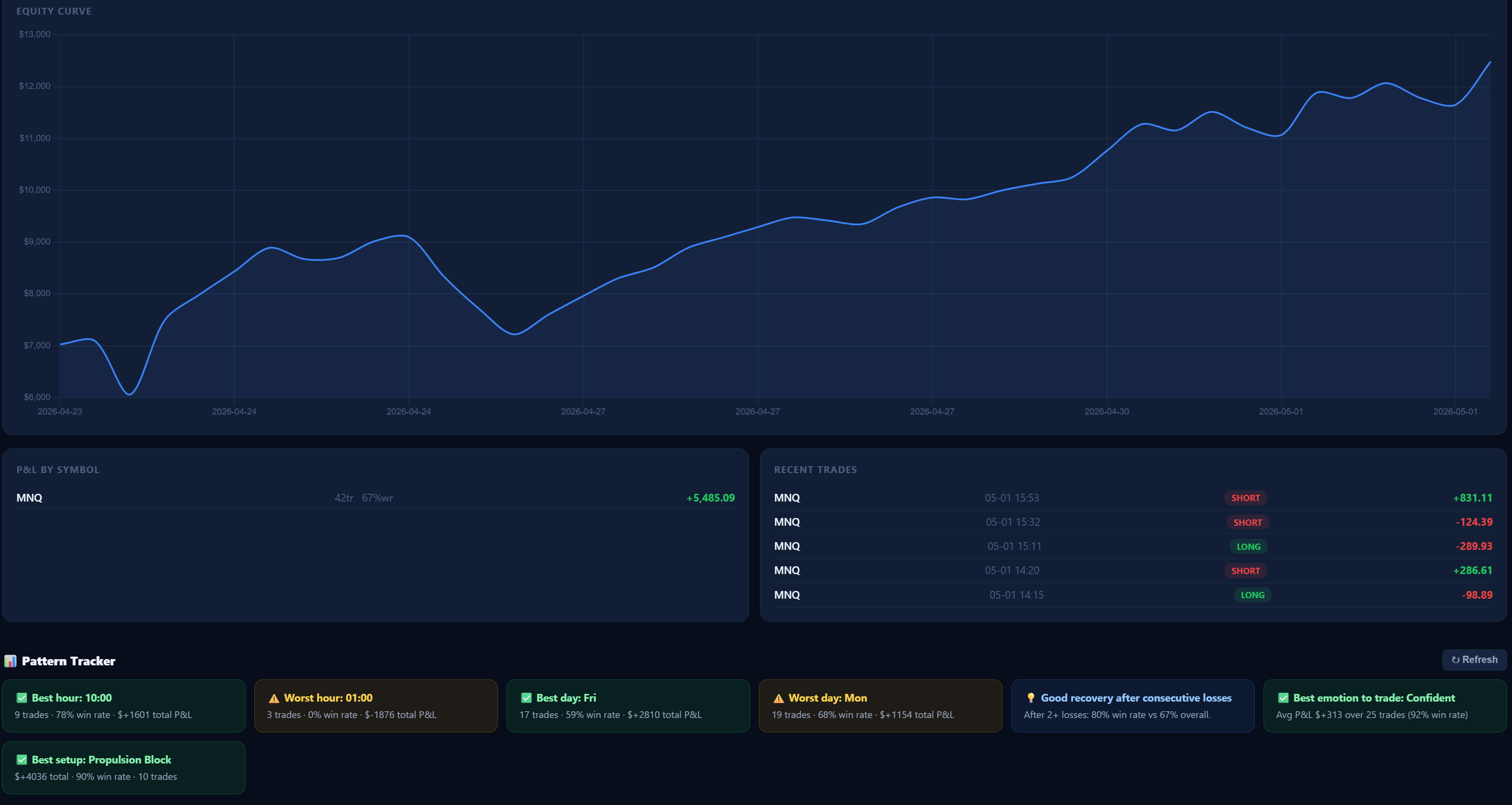
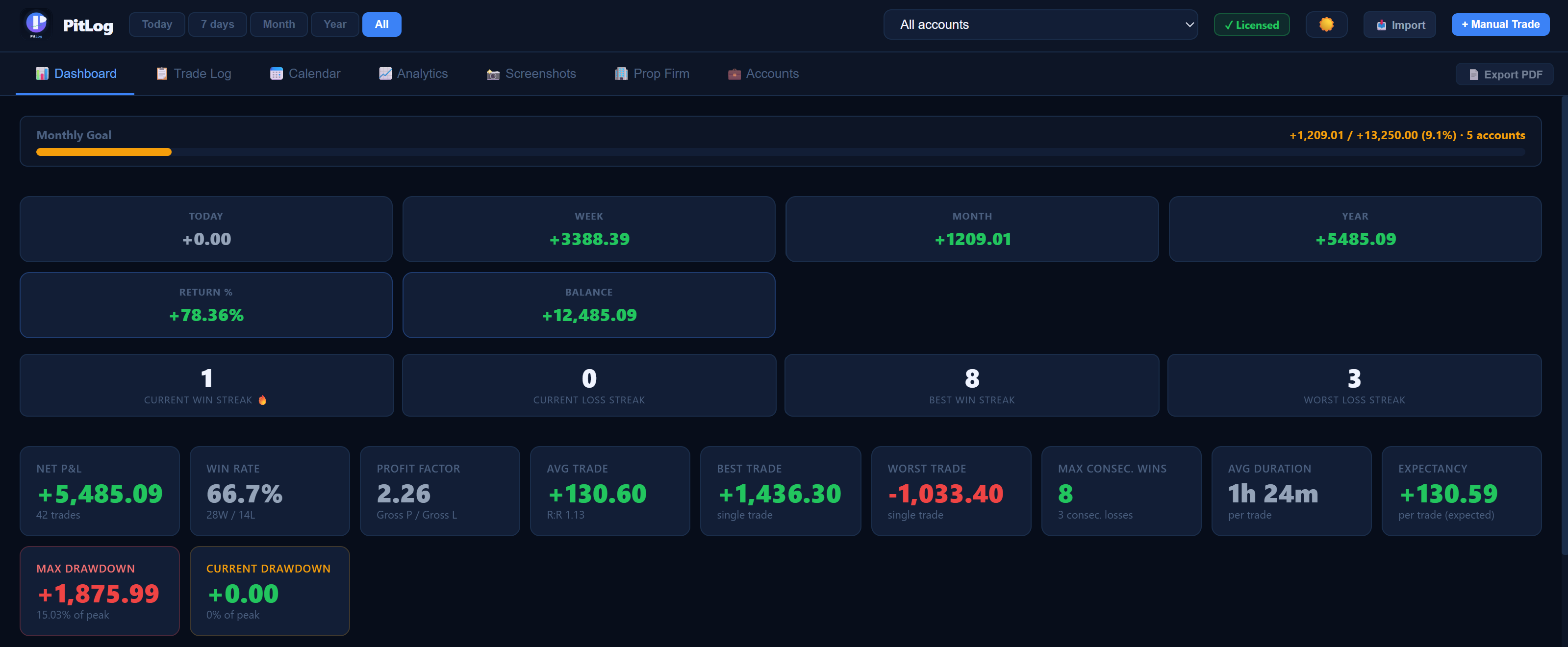
Win rate, profit factor, average R:R, equity curve, P&L by day/week/month, win/loss distribution, streak tracker — all automatic.

🎯

Expectancy New

See your mathematical expectancy per trade on the dashboard — the truest measure of whether your strategy has real edge. Updated live as you log trades.

📉

Drawdown Tracking New

Max drawdown and current drawdown — both in dollars and percentage — shown directly on the dashboard. Know your worst losing streak before it surprises you.

📋

Trade Rules Checklist New

Define your personal trading rules per account. Check them off on every trade and see your compliance score. Instantly know which rules you break most often.

🏷️

Tags & Advanced Filtering New

Tag trades with custom labels (momentum, breakout, NY session…) and filter the Trade Log by tag, grade, or setup. Instantly isolate what's working.

📐

Auto R-Multiple New

Set a stop loss on your trade and PitLog calculates the R-multiple automatically from entry and exit. R is displayed in the trade list and detail view.

🏆

Trade Grading (A+ to D)

Grade every trade from A+ to D and see which quality trades actually make money. Stop overtrading bad setups.

🔥

Streak Tracker

Track your current win/loss streak and your all-time best. Stay aware of your momentum and avoid tilt trading.

🌡️

P&L Heatmap — Day × Hour

See exactly which days and hours of the week are most profitable for you. Stop trading in your worst time windows.

💰

Return % & Running Balance

See your account return % and current balance calculated automatically from your initial deposit and all trades.

⚖️

P&L Adjustment per Trade New

Add a manual dollar adjustment to any trade to account for broker fees, overnight swaps, platform charges, or any cost not included in the imported data. Your net P&L is always accurate — even when your broker's export is incomplete.

🧮

Position Size Calculator

Enter your account balance, risk %, stop distance, and point value — get your exact position size instantly.

📷

Multi-Screenshot per Trade

Attach up to 3 screenshots per trade — Entry, Exit, and Context charts — and review them inside the app.

📄

Full Analytics PDF Report

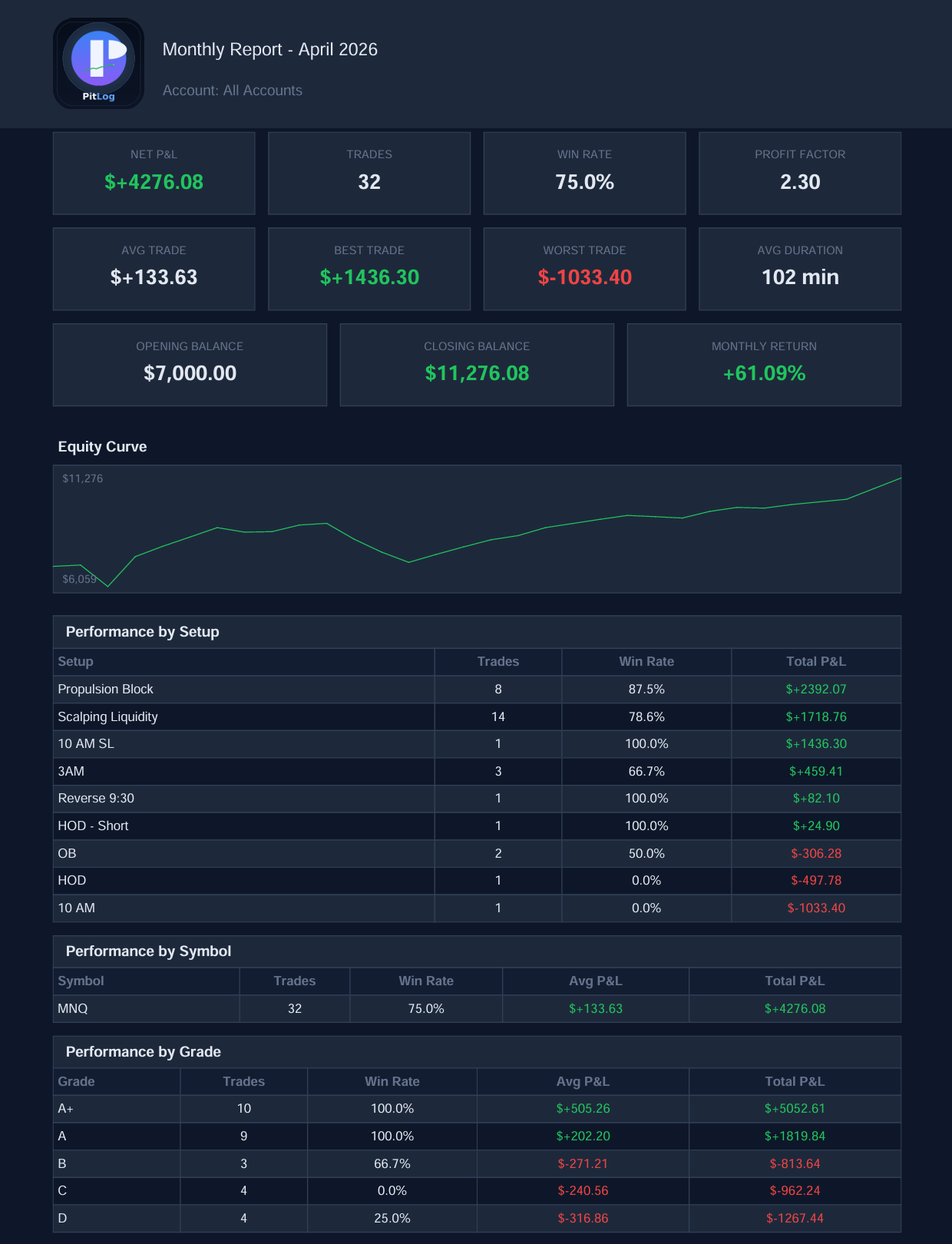
Generate a professional monthly PDF with equity curve, KPIs, heatmap, grade breakdown, and performance tables.

⚠️

Daily Risk Limits & Goals

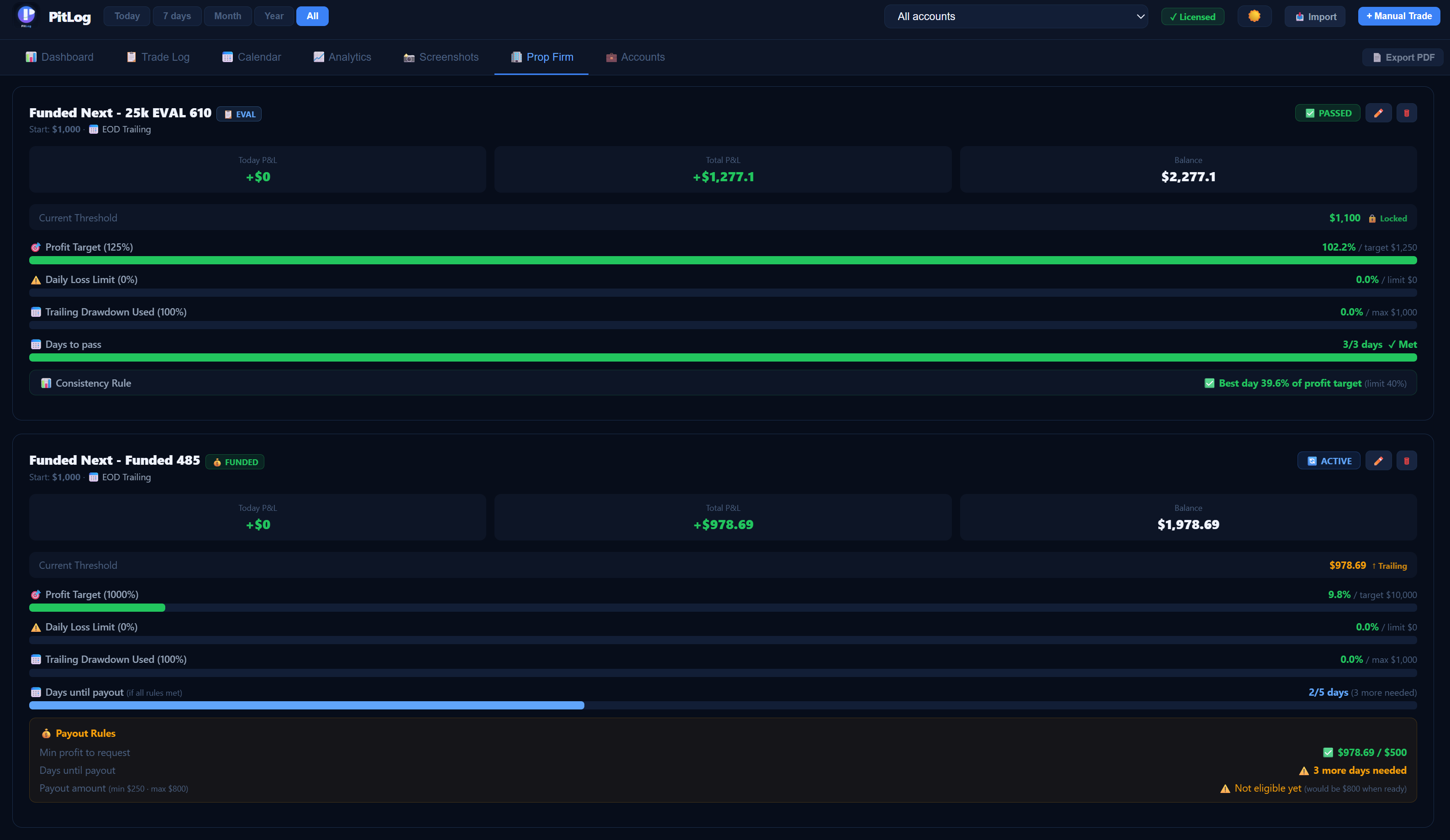
Set per-account daily loss limits and monthly profit targets. Live red banner warns you before you blow your limit.

🏦

Multi-Account Support

Manage Prop Firm, Live, and Paper accounts separately. Each account has its own stats, risk settings, and rules.

🔒

100% Private & Offline

All data stored locally in SQLite on your machine. No account required, no cloud sync, no tracking whatsoever.

Already trading? Import everything.

PitLog reads CSV exports from all major platforms and auto-detects the format. Your historical trades are imported in seconds — no reformatting, no manual entry.

  • Auto-detects CSV format — no column mapping needed
  • Futures point values applied automatically (NQ, ES, MNQ, MES, CL, GC…)
  • FIFO/LIFO trade matching for BUY/SELL pair formats
  • Imports commissions, swap, and P&L from broker exports
Supported platforms
📊 TradingView
📉 MetaTrader 4
📈 MetaTrader 5
Tradovate
🔴 Rithmic
🏦 Interactive Brokers
🥷 NinjaTrader

Manual entry always available. Every imported trade is labeled with its source platform.

Why traders switch from spreadsheets

  • No more manual formula updates
    All metrics — including expectancy, drawdown, and R-multiples — calculated automatically. Log the trade and see results instantly.
  • Visual patterns you can't see in Excel
    Equity curve, session heatmaps, tag breakdowns, and grade analysis reveal what's really going on in your trading.
  • Built-in accountability tools
    Trade rules checklist, daily loss limits, and compliance scoring ensure you follow your own plan — every single trade.
  • Screenshots attached to each trade
    Review exactly what you were thinking at entry. Identify recurring mistakes visually, not just statistically.
  • Import your broker history in seconds
    TradingView, MT4, MT5, Tradovate, Rithmic, IBKR, NinjaTrader — paste your CSV and your entire trade history is in.
Feature
PitLog
TraderSync / Tradervue
One-time payment
✗ Monthly
Fully offline / private
✗ Cloud only
Expectancy on dashboard
Partial
Drawdown tracking
Paid tier
Trade rules checklist
Tags + advanced filtering
Limited
CSV import (6 platforms)
Partial
Auto R-multiple from SL
Screenshots per trade
3 slots
Limited
Daily risk limits
PDF report export
Paid tier
Trade grading (A+ to D)
P&L heatmap day × hour
Auto-backup

Simple, honest pricing.

No monthly fees. No feature gating. No nonsense.

🔥 Most Popular
PitLog — Lifetime License
67
one-time payment · yours forever · all future updates included
  • Full trade log — unlimited entries
  • Expectancy & drawdown on dashboard
  • Trade rules checklist with compliance score
  • Tags + advanced filtering (grade, setup, tag)
  • Auto R-multiple from stop loss
  • CSV import — TradingView, MT4, MT5, Tradovate, Rithmic, IBKR, NinjaTrader
  • P&L adjustment per trade — commissions, swaps, extra fees
  • Trade grading A+ to D per trade
  • Analytics dashboard + equity curve
  • P&L heatmap — day × hour
  • Win/loss streak tracker
  • Full analytics PDF report (with charts)
  • Multi-account — Prop, Live, Paper
  • Daily risk limits & monthly goals
  • Position sizing calculator
  • 3 screenshots per trade
  • Backup, restore & auto-backup
  • Windows 10/11 · All future updates · macOS coming soon
🔑 Buy PitLog — €67
🔒 Secure payment via LemonSqueezy · Instant license key delivery

Common questions

Is this really a one-time payment?
Yes. You pay €67 once and own PitLog forever. All future updates are included at no extra cost. No subscriptions, no renewal fees.
How does the license work?
After purchase, you'll receive a license key by email. Enter it in PitLog once to unlock the full version permanently. The license is tied to your machine and valid for 1 device. If you change computers, contact support.
Is my trading data safe? Does it sync to the cloud?
Your data never leaves your computer. PitLog stores everything in a local SQLite database file on your machine. There is no cloud account, no server, no sync — complete privacy. You can back up the database file yourself or use the built-in auto-backup feature.
What platforms can I import from?
PitLog imports CSV exports from TradingView, MetaTrader 4, MetaTrader 5, Tradovate, Rithmic, Interactive Brokers, and NinjaTrader. The format is detected automatically — no column mapping needed. Futures point values for NQ, ES, MNQ, MES, CL, GC, and others are applied automatically.
What are Trade Rules and how do they work?
Trade Rules are your personal trading rules — e.g. "Only trade A+ setups", "Wait for pullback", "Max 3 trades per day". You define them per account in Settings. When logging a trade, check which rules you followed. PitLog tracks your compliance score over time so you can see exactly which rules you break most often.
What operating systems are supported?
PitLog currently runs on Windows 10/11 (64-bit). It's a standalone .exe — no Python or additional software required. Just download and run. A macOS version is in development.
What asset classes can I track?
Any asset class — futures, forex, stocks, crypto, options. PitLog is instrument-agnostic. You define your own symbols, and futures point values are applied automatically for the most common contracts.
Can I try before I buy?
Yes — download PitLog for free and use every feature for 7 days with no credit card required. If you decide it's not for you, simply don't purchase. The trial gives you a full experience so you can make an informed decision.
Ready to build your edge?

Stop guessing. Start knowing.

Join traders who track performance, manage drawdown, follow their rules, and improve with every session.

⬇ Download Free Trial 🔑 Buy Now — €67

7-day free trial · No credit card required · Instant license delivery